
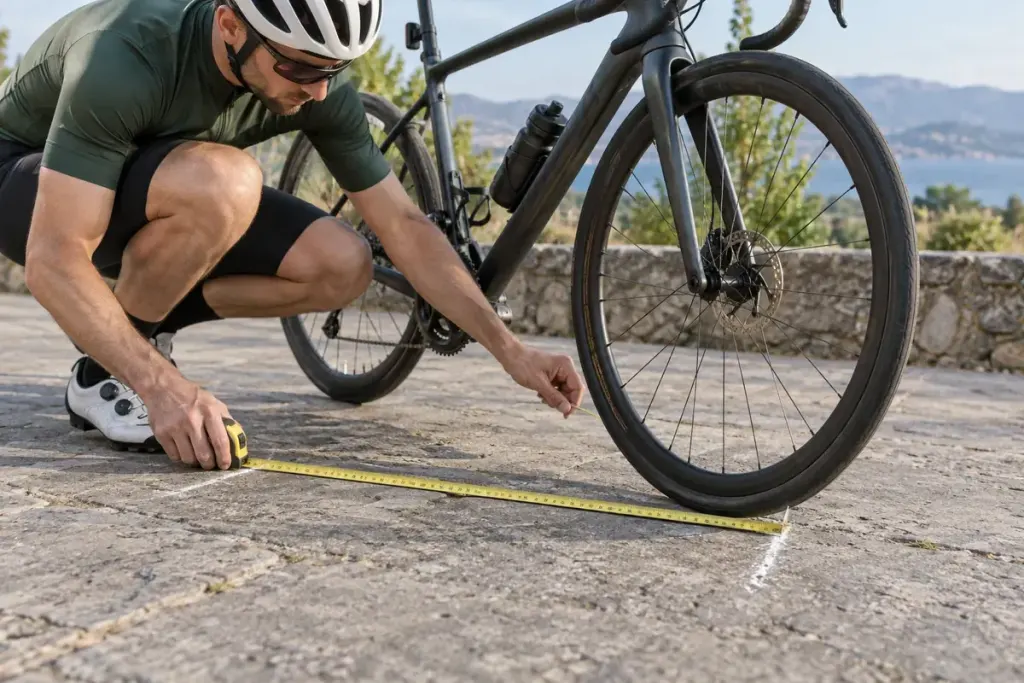
Two riders finish the same route with different distances on their computers. Before deciding that one rode farther, check how each device measured the journey. A wheel sensor counts revolutions and needs a circumference value to turn those revolutions into distance.
In a simplified example, 1,000 revolutions at 2.10 metres per revolution represent 2,100 metres. Entering 2.20 metres would produce 2,200 metres for the same count. The example isolates one setting; real ride records can also differ because of GPS behaviour, pauses and the route actually travelled.
Identify the active measurement method
Read the instructions for the computer and sensor together. Some systems calculate wheel size automatically; others accept a manual value. Garmin’s wheel-circumference guidance, for example, distinguishes the setting from the tyre’s size description.
If your equipment calls for a rollout measurement, follow its method on a safe, level surface away from traffic. Mark a complete revolution carefully and use the requested units. A measurement in millimetres entered into a field expecting another unit can create a much larger error than an imperfect tape placement.
Do not assume that two tyres with the same nominal size have identical rolling circumference. Record which tyre and setup the value belongs to, especially if the computer moves between bikes or you change wheels.
Compare before changing everything
Save the existing setting and make one controlled adjustment. Check a repeatable route using the same start and stop points. Do not alter calibration simply to match a friend’s distance or a desirable training total.
If the reading remains implausible, inspect sensor pairing and the manufacturer’s troubleshooting instructions. A missing signal is a different problem from the wrong circumference. Knowing which source produced the number makes your training record easier to interpret and prevents a setup error from masquerading as a sudden change in performance.